
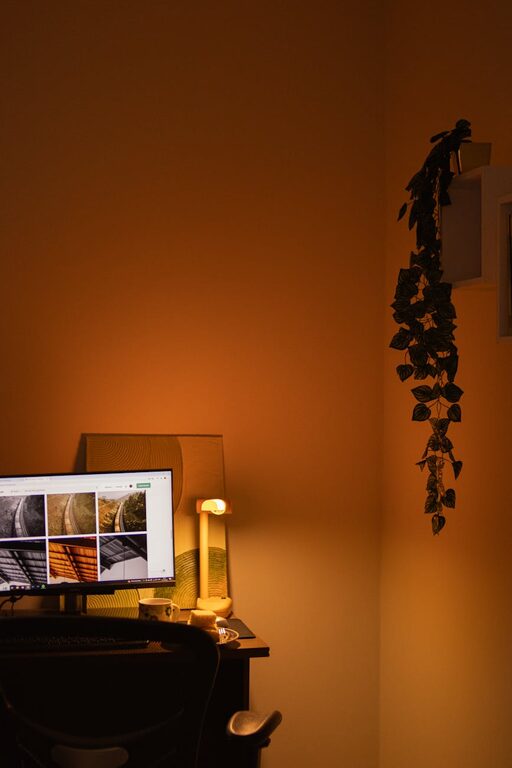
Creating a relaxing home workspace is essential for maintaining productivity and well-being, especially when working remotely or spending long hours at your desk. A thoughtfully designed workspace can help reduce stress, improve focus, and make your workday feel more enjoyable. Below, you’ll find practical tips to help you set up an environment that balances comfort with efficiency.
1. Choose the Right Location
Selecting the perfect spot in your home to work can set the foundation for a relaxing workspace.
– Natural Light: Aim to position your desk near a window. Natural light boosts mood, reduces eye strain, and helps regulate your body’s natural rhythm.
– Quiet Area: Pick a quiet corner or room where you can minimize distractions, such as noise from TV or household traffic.
– Adequate Space: Make sure your workspace allows enough room for your computer, supplies, and any personal items you need.
2. Invest in Comfortable and Supportive Furniture
Your chair and desk play a huge role in your comfort.
– Ergonomic Chair: Choose a chair that supports good posture, with adjustable height, lumbar support, and cushioned seating.
– Desk Height: Your desk should be at a height where your elbows rest comfortably at a 90-degree angle while typing.
– Footrest: If your feet don’t comfortably reach the floor, consider a footrest to keep your legs in a healthy position.
3. Optimize Lighting
Good lighting supports focus and reduces fatigue.
– Layered Lighting: Combine natural light with desk lamps or overhead lighting to prevent harsh shadows and glare.
– Warm Light Bulbs: Use bulbs that emit warm, soft light to create a cozy atmosphere, especially during evening hours.
– Adjustable Lamps: A task lamp with adjustable brightness allows you to control light intensity as needed.
4. Declutter and Organize
A clean, organized space can help clear your mind and make work feel less stressful.
– Storage Solutions: Use shelves, drawers, or file organizers to keep papers and supplies tidy.
– Minimal Decor: Keep your desk surface clear of unnecessary items to avoid distractions.
– Cable Management: Use clips or cable organizers to keep cords neat and prevent tangling.
5. Add Personal Comfort Elements
Incorporating small comforts can make your workspace more inviting.
– Plants: Adding greenery can improve air quality and bring a sense of calm.
– Soft Textiles: A cushion on your chair or a cozy throw blanket can add warmth.
– Essential Oils or Diffusers: Pleasant, subtle scents like lavender or eucalyptus can promote relaxation.
6. Incorporate Calming Colors
The color palette in your workspace influences your mood.
– Neutral Tones: Whites, beiges, and soft grays create a peaceful atmosphere.
– Pastel Colors: Soft blues, greens, or lavenders are known to reduce stress and encourage focus.
– Accent Colors: Add pops of color through accessories or art to keep the space lively without feeling overwhelming.
7. Minimize Digital Distractions
Technology is necessary but can also disrupt your focus.
– Notification Settings: Silence non-essential notifications during work hours.
– Dedicated Devices: Use separate devices for work and personal use if possible to maintain boundaries.
– Focus Apps: Consider apps designed to block distracting websites during work sessions.
8. Create Routine and Boundaries
Your environment is only part of the equation; habits matter too.
– Set Work Hours: Stick to regular work times to create predictability.
– Designate Break Zones: Step away from your desk during breaks to recharge.
– End-of-Day Ritual: Close your workspace and turn off devices to signal the end of your workday.
Conclusion
A relaxing home workspace is about more than just aesthetics; it supports your mental and physical well-being while enhancing productivity. By thoughtfully choosing your location, investing in comfort, optimizing lighting, and minimizing clutter, you create an environment where you can thrive. Small personal touches and mindful habits complete the picture, helping you enjoy your workday while staying calm and focused.
Start with a few of these tips today and gradually tailor your workspace to what feels best for you!