
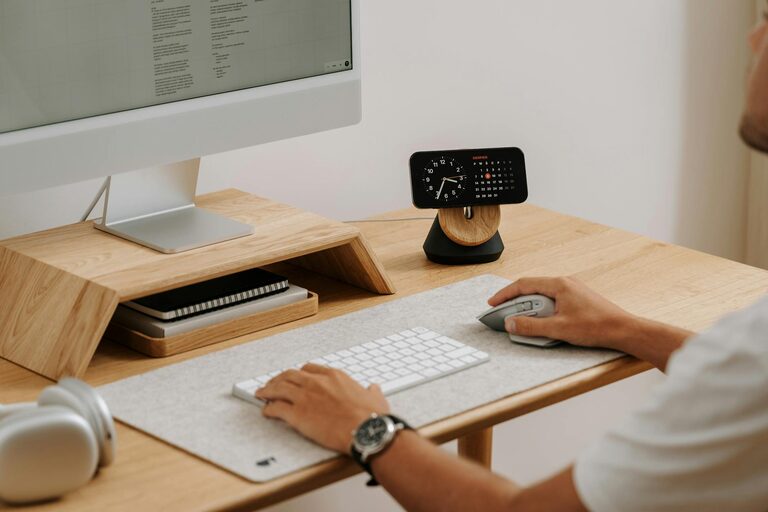
Creating a home workspace that is both organized and productive can make a huge difference in your daily work routine. Whether you work remotely full-time, need a dedicated spot for occasional tasks, or manage a side project, a tidy and functional workspace helps maintain focus and efficiency. In this post, we’ll share practical tips to help you organize your home office, reduce clutter, and create an environment that encourages productivity.
Why Organizing Your Home Workspace Matters
A cluttered and disorganized workspace can contribute to stress, distractions, and wasted time searching for items. Conversely, a neat and well-organized area supports concentration, creativity, and a positive mindset. Establishing a clear and functional setup helps you prioritize tasks and maintain consistent work habits.
Step 1: Choose the Right Location
Find a Dedicated Space
Selecting a specific area for your workspace is essential. If possible, choose a quiet room or a corner with good natural lighting and minimal distractions. Having a dedicated space mentally separates work from personal life, which is helpful for focus and balance.
Consider Comfort and Ergonomics
Invest in a comfortable chair and desk that support proper posture. Ergonomic furniture reduces strain and fatigue, which improves overall productivity during long work sessions.
Step 2: Declutter and Simplify
Clear the Surface
Start by removing everything from your desk surface. Keep only the essentials like your computer, a notebook, or a few commonly used supplies. This helps minimize distractions and creates a clean slate.
Sort and Categorize
Sort papers, tools, and supplies into categories like “urgent,” “to file,” or “to discard.” Use folders or trays to keep things organized and easy to access.
Regular Maintenance
Schedule a weekly or monthly routine to tidy up your workspace and reassess what you need versus what can be removed or stored elsewhere.
Step 3: Smart Storage Solutions
Use Vertical Space
Wall-mounted shelves, pegboards, or hanging organizers make great use of vertical space, keeping items off your desk but within reach.
Drawer Organizers and Bins
Use drawer organizers to keep pens, paper clips, and small supplies sorted. Clear bins or labeled boxes help you store items neatly and find them quickly.
Cable Management
Use cable clips, ties, or sleeves to manage wires and keep them from tangling. This not only looks cleaner but also prevents damage to cords.
Step 4: Optimize Lighting
Maximize Natural Light
Position your desk near a window to take advantage of natural light, which can improve mood and reduce eye strain.
Add Task Lighting
A desk lamp with adjustable brightness allows you to work comfortably at any time of day or night.
Step 5: Personalize Your Workspace
Keep It Inspiring
Add a few personal touches like a small plant, motivational quotes, or art prints. These can boost morale without causing clutter.
Limit Distractions
Avoid overcrowding your workspace with items that divert attention, such as excessive decorations or gadgets.
Step 6: Use Technology Wisely
Digital Organization
Reduce paper clutter by digitizing documents and notes. Use cloud storage services to keep files organized and accessible.
Productivity Tools
Explore apps and tools that help with task management, time tracking, or focus techniques such as the Pomodoro method.
Step 7: Establish Boundaries and Routines
Set Work Hours
Define clear start and end times for your workday to separate work time from personal time.
Take Breaks
Incorporate regular breaks to stretch and refresh your mind. A clutter-free environment helps you make the most of these intervals without feeling overwhelmed.
Final Thoughts
Creating a clutter-free and productive home workspace takes effort but pays off with improved focus and satisfaction. By choosing the right location, decluttering regularly, using smart storage solutions, and personalizing your setup, you can craft an environment that supports your best work. Remember, small consistent habits keep your space organized and your productivity high.
Try implementing these tips one step at a time and enjoy the benefits of a calm and efficient workspace right in your own home.